Recent Discussions

Issue creating IPsec tunnel with identification_type FQDN
Hi Cato community, I have encountered an issue where it is not possible to create a IPSec tunnel using the following configurations Site type: IPSecV2 connectionMode: RESPONDER_ONLY identificationType: FQDN Since the IPsec is responder only with FQDN identification, the updateIpsecIkeV2SiteTunnels mutation cannot be used to create such tunnels as it will require a public site ip, but FQDN will give local ID. When I tried to enter a dummy ip to test it out, it shows a "GraphQL error: Required"; leaving it blank will produce Required field 'primary_public_site_ip' is missing or empty. Are there any solutions/workarounds for this? Let me know if more information is required. Cheers, VincentPVincentP2 days agoJoining the Conversation309Views0likes5Comments
Bypassing Cato via WAN Bypass and Split Tunnel
We need to add around 200 subnets to bypass Cato. My understanding is that they need to be added to all sites under the Site Configuration/Router/Bypass/Destination and for all SDP users via Access/Client Access Control/Split Tunnel policy. We have nearly 90 sites. Manually adding 200 subnets to 90 sites doesn't seem like a good time. Is this possible via the API? If so, can you point me toward the correct commands.SomeGuy15 days agoJoining the Conversation515Views4likes6Comments
Creating NAT Rules
Hi, I’m trying to figure out if it’s possible to create or update NAT Policy Rules for a site using the Cato GraphQL API. I’m using the siteUpdate mutation to modify the natPolicyRules field (adding DNAT rules), but I keep getting a "permission denied" (Code104) error even though my API key should have the right permissions. Just to clarify, the rules I want to create are in: Network → Sites → [Selected Site] → Routing → NAT Before I go any further, can someone confirm : Is it actually possible to create/modify NAT rules via the GraphQL API ? Is siteUpdate the right mutation for this ? I have about 300 DNAT rules to create, so doing it manually in the UI would be pretty painful. Thanks !SR15 days agoJoining the Conversation167Views1like1CommentRecording: API/DevOps Live - May 2026
Thank you to everyone who joined our recent API/DevOps Live. If you’re looking to move from manual network/security operations to scalable, automated workflows, this session walks through exactly how to do that using Cato’s DevOps toolkit. What we covered How to apply DevOps principles to your Cato environment Using the CLI for day-to-day operations and bulk changes Leveraging Terraform for infrastructure as code (including brownfield environments) Going deeper with the SDK for custom automation and integrations How these layers connect: SDK → CLI → Terraform → AI-assisted workflows Key highlights Real-world examples of bulk config changes (DHCP, WAN priority, rules) How to export operational data like degraded sites A practical look at a “day in the life” of an operator Demo of AI-assisted workflows with built-in security guardrails (including blocking sensitive data like API keys) Questions we addressed What should I be automating first? How do I handle existing (brownfield) environments with Terraform? When should I use CLI vs Terraform vs SDK? How can I safely use AI tools in a DevOps workflow? Watch the full recording Here are some resources mentioned in the video: Getting started with Cato CLI Terraform Quickstart + Brownfield Onboarding Cato Networks Github Github Cato Networks API Explorer Github MCP Server Wrapping Cato CLI If you have questions or want to share how you're using automation in your environment, drop a comment below, we’d love to hear from you. yumdarling22 days agoCommunity Manager75Views2likes0Comments
Is there a way to monitor CATO IPSec degraded status
Hello, We recently enhanced our resilience on CATO side by switching from a single IPSec peering tunnel to a dual active/passive IPSec tunnel, enabling automatic failover in case of POP incident. However, monitoring via the basic API request does not return a “Degraded” status; it only returns ‘Connected’ or “Disconnected”. The API request uses the Account Snapshot one. Investigating deeper in the CATO API, it doesn't seem possible to get the “Degraded” status for IPSec connectivity. Is this a limitation of the API? Is an update to the API on CATO’s roadmap to monitor this status ? Looking forward to your response. CorentinSolvedInfraTeam28 days agoMaking Connections297Views0likes5Comments
I could use some help with a Powershell script for the events feed.
For some work I am doing trying to track DHCP events, I have been looking at the Events Feed API and am having trouble getting code working in Powershell. I know my API key/Account ID are good because I have other scripts/tasks running daily, but I am struggling on the event feed. I would rather avoid Python because I already have other things happening in Powershell and am not very comfortable in Python. I think I have events enabled in my account correctly. I asked ChatGPT to review my efforts and add debugging and this is my current script. It returns 0 events. you can toggle $DEBUG_MODE = $true/$false as needed Can someone let me know if you return results with this code? thanks. # start script ----------------------------------------------------------------------------- # ====== CONFIGURATION ====== $API_URL = "https://api.catonetworks.com/api/v1/graphql2" $API_KEY = "YOUR_CATO_API_KEY" $ACCOUNT_ID = "YOUR_ACCOUNT_ID" $DEBUG_MODE = $true $MAX_LOOPS = 3 # =========================== $query = @" query EventsFeed(`$accountIDs: [ID!], `$marker: String) { eventsFeed(accountIDs: `$accountIDs, marker: `$marker) { marker fetchedCount accounts { id records { time fieldsMap } } } } "@ function Write-DebugLog { param( [string]$Message, $Data = $null ) if (-not $DEBUG_MODE) { return } Write-Output "[DEBUG] $Message" if ($null -ne $Data) { try { if ($Data -is [string]) { Write-Output $Data } else { $json = $Data | ConvertTo-Json -Depth 20 Write-Output $json } } catch { Write-Output "[DEBUG] Could not serialize debug data." Write-Output ($Data | Out-String) } } Write-Output ("=" * 80) } function Print-Event { param($Record) $timeStr = $Record.time try { $dt = [datetime]::Parse($Record.time) $timeStr = $dt.ToUniversalTime().ToString("yyyy-MM-dd HH:mm:ss 'UTC'") } catch {} $f = $Record.fieldsMap Write-Output "[$timeStr] $($f.event_type) / $($f.event_sub_type): $($f.message)" Write-Output " User: $($f.user_display_name)" Write-Output " App: $($f.application)" Write-Output " Src: $($f.src_ip)" Write-Output " Dst: $($f.dest_ip)" Write-Output ("-" * 80) } function Fetch-Events { $headers = @{ "x-api-key" = $API_KEY "Content-Type" = "application/json" } $marker = "" $totalEvents = 0 $loopCount = 0 while ($true) { $loopCount++ if ($loopCount -gt $MAX_LOOPS) { Write-Output "[INFO] Reached MAX_LOOPS limit ($MAX_LOOPS)." break } $variables = @{ accountIDs = @($ACCOUNT_ID) marker = $marker } $bodyObject = @{ query = $query variables = $variables } $body = $bodyObject | ConvertTo-Json -Depth 20 try { Write-DebugLog "Request URI" $API_URL Write-DebugLog "Request headers" @{ "x-api-key" = "***REDACTED***" "Content-Type" = "application/json" } Write-DebugLog "Request variables" $variables Write-DebugLog "Request body object" $bodyObject Write-DebugLog "Request body JSON" $body $response = Invoke-RestMethod ` -Uri $API_URL ` -Method Post ` -Headers $headers ` -Body $body ` -TimeoutSec 30 Write-DebugLog "Parsed API response" $response } catch { Write-Error "[ERROR] API request failed: $($_.Exception.Message)" if ($_.ErrorDetails -and $_.ErrorDetails.Message) { Write-Output "[DEBUG] ErrorDetails:" Write-Output $_.ErrorDetails.Message Write-Output ("=" * 80) } break } if ($response.errors) { Write-Error "[ERROR] API returned GraphQL errors." Write-DebugLog "GraphQL errors" $response.errors break } if (-not $response.data) { Write-Output "[DEBUG] Response has no 'data' property." Write-DebugLog "Full parsed response" $response break } $feed = $response.data.eventsFeed if (-not $feed) { Write-Output "[DEBUG] Response has no 'data.eventsFeed'." Write-DebugLog "Full parsed response" $response break } Write-DebugLog "eventsFeed object" $feed $batchCount = 0 if (-not $feed.accounts) { Write-Output "[DEBUG] eventsFeed.accounts is null or empty." } else { Write-Output "[DEBUG] Number of accounts returned: $($feed.accounts.Count)" } foreach ($account in $feed.accounts) { Write-Output "[DEBUG] Inspecting account id: $($account.id)" if (-not $account.records) { Write-Output "[DEBUG] No records returned for this account." continue } Write-Output "[DEBUG] Records returned for account $($account.id): $($account.records.Count)" foreach ($record in $account.records) { if ($DEBUG_MODE -and $batchCount -lt 3) { Write-DebugLog "Sample record" $record if ($record.fieldsMap) { Write-DebugLog "Sample fieldsMap keys" ($record.fieldsMap.PSObject.Properties.Name) } } Print-Event $record $totalEvents++ $batchCount++ } } Write-Output "[INFO] Batch fetched: $($feed.fetchedCount)" Write-Output "[DEBUG] Batch printed: $batchCount" Write-Output "[DEBUG] Next marker: $($feed.marker)" if (($feed.fetchedCount -eq 0) -or [string]::IsNullOrWhiteSpace($feed.marker)) { Write-Output "[INFO] Stopping because fetchedCount is 0 or marker is empty." break } $marker = $feed.marker } Write-Output "[INFO] Total events retrieved: $totalEvents" } Fetch-Events # end script -----------------------------------------------------------------------------Solvedddaniel1 month agoStaying Involved329Views1like8Comments
Terraform: IPsec site creation with Responder-only and destination type FQDN possible?
Hi, see subject. When trying to setup an ipsec site (IKEv2) in responder only mode and with destination type FQDN for primary and secondary tunnel, terraform (in fact opentofu), gives this error: │ Error: Cato API error in SiteAddIpsecIkeV2SiteTunnels │ │ with cato_ipsec_site.Vienna, │ on main.tf line 73, in resource "cato_ipsec_site" "Vienna": │ 73: resource "cato_ipsec_site" "Vienna" { │ │ {"networkErrors":{"code":422,"message":"Response body {\"errors\":[{\"message\":\"input: │ variable.updateIpsecIkeV2SiteTunnelsInput.primary.tunnels[0].tunnelId is not a valid │ IPSecV2InterfaceId\",\"path\":[\"variable\",\"updateIpsecIkeV2SiteTunnelsInput\",\"primary\",\"tunnels\",0,\"tunnelId\"]}],\"data\":null}"},"graphqlErrors":[{"message":"input: │ variable.updateIpsecIkeV2SiteTunnelsInput.primary.tunnels[0].tunnelId is not a valid │ IPSecV2InterfaceId","path":["variable","updateIpsecIkeV2SiteTunnelsInput","primary","tunnels",0,"tunnelId"]}]} ╵ That appears when adding the "tunnels" section. Without that section, a deployment if possible. Obviously, the tunnels section is required. --------------------snip-------------------- connection_mode = "RESPONDER_ONLY" identification_type = "IPV4" primary = { destination_type = "FQDN" tunnels = [ { public_site_ip = "10.10.10.10" psk = "abcABC1234567!!" //last_mile_bw = { //downstream = 10 //upstream = 10 } ] } ---------------snap------------------------------------- Is that supported with the terraform provider currently? Thanks, ChristianSolvedDeckel1 month agoJoining the Conversation259Views0likes4CommentsCato Connect Event: DevOps/API Live - May 2026
We’re back with a live session focused on DevOps and API workflows designed for customers and partners who want to build, automate, and scale with Cato. During this session, we’ll walk through practical, real-world use cases and tooling, including: API explorer and code generation Terraform bulk rule and site provisioning Brownfield deployments MCP Server, custom reports, and analysis CatoCLI, troubleshooting, and bulk configuration management And time for questions Join us on: May 7, 2026 1:00 PM ET Register here Presenters: Brian Anderson Global Field CTO Joe Fontes Major Sales Sales Engineer John Farthing Professional Services Consultantyumdarling1 month agoCommunity Manager53Views2likes0CommentsMismatch in User Count: Cato Report vs GraphQL API Output
This is to update that we are encountering an issue with the User GraphQL query. For example, when we generate a manual report from Cato, we receive approximately 1,750 users. However, when fetching data via the API, we are only getting around 768 users. It appears that the API is returning only users with an active Cato connection. We are not receiving data for assets or users that are currently not connected. Could you please confirm if this is an expected limitation of the API, or if there is a way to retrieve all users, including those that are not currently not connected?Mukeshkumar201 month agoMaking Connections186Views0likes15Comments
Custom Category creation via API/Terraform
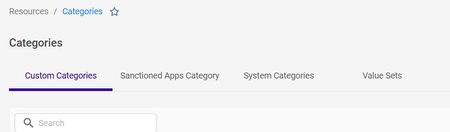
I need to create `Custom Category` via code. Is there API/Terraform resource available for this? I couldn't find it in the docs.DevS2 months agoJoining the Conversation269Views1like6Comments